

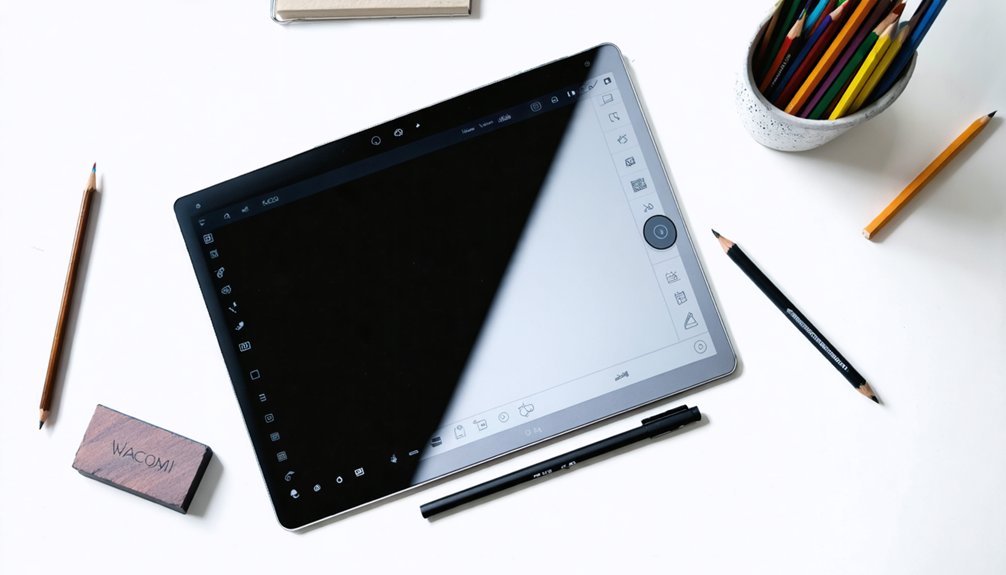

Choosing the Right Tablet for Digital Art in 2025
Digital artists have diverse needs and skill levels, and several tablets cater to these requirements. Beginners can opt for the Wacom Intuos or Huion GT-220, which offer fundamental features at a budget-friendly price point. These entry-level tablets provide a solid foundation for new artists to develop their skills.
Advanced artists, on the other hand, may prefer the iPad Pro or Wacom Cintiq, which boast high-resolution displays and seamless stylus compatibility. These premium tablets offer more advanced tools and capabilities, enabling artists to refine their craft.
When selecting a tablet, artists should consider essential factors such as software integration, processing power, and portability. These elements can significantly impact an artist’s workflow and overall productivity.
Key Considerations for Digital Artists
- Software integration: Ensure the tablet supports the desired artistic software and is compatible with other devices.
- Processing power: A fast processor can handle demanding tasks and reduce lag.
- Portability: A lightweight and compact tablet can be easily taken on the go.
Expert Insights
“The right tablet can make all the difference in a digital artist’s workflow. By choosing a device that aligns with their needs and skill level, artists can unlock their full creative potential.” – Digital Art Instructor
Tablet Recommendations for Digital Artists
- Beginners: Wacom Intuos, Huion GT-220
- Advanced artists: iPad Pro, Wacom Cintiq
By considering these factors and exploring available options, digital artists can find the perfect tablet to take their art to the next level.
Highlights
Digital artists just starting out can consider affordable options like Wacom Intuos and Huion GT-220. These tablets provide essential features for creating digital art without breaking the bank.
When choosing a tablet, a high-resolution display is vital for producing detailed artwork with clear views. A 4K or higher resolution ensures an artist’s work looks crisp and precise.
A stylus that supports features like tilt recognition and pressure sensitivity is also crucial. This allows artists to achieve precise lines and details in their work.
For graphic design and illustration, top picks include the iPad Pro with Apple Pencil and Wacom Cintiq with Pro Pen. These combinations offer the best tools for creating high-quality artwork.
When working on complex projects like digital painting and animation, a tablet’s processing capabilities become essential. Look for at least 16 GB of RAM and a quad-core processor for a seamless experience.
“Every digital artist’s unique style demands precision and performance from their tools. The right tablet can make all the difference in bringing artistic vision to life.”
Top Picks for Beginners
Choosing the Right Tablet for Digital Art as a Beginner
As a beginner in digital art, selecting the right tablet can be overwhelming. Budget, skill level, and intended use are essential factors to consider. A graphics tablet with stylus compatibility is necessary for creating precise lines and details. The tablet’s software integration is also vital, ensuring seamless communication between the device and digital art programs.
Top Picks for Beginners
The Wacom Intuos and Huion GT-220 are excellent options for beginners. These tablets offer exceptional stylus compatibility and integration with industry-standard software like Adobe Photoshop and Illustrator.
They provide a comfortable and intuitive drawing experience, allowing beginners to focus on developing their skills without overspending.
When selecting a tablet, consider the type of art you want to create and the software you plan to use. A tablet that meets your needs will help you improve your skills and produce high-quality artwork.
For example, if you’re interested in illustration, a tablet with a high level of precision and stylus control would be ideal.
Key Considerations
- Budget: Determine how much you’re willing to spend on a tablet.
- Skill level: Choose a tablet that suits your skill level, whether you’re a beginner or intermediate artist.
- Software integration: Ensure the tablet is compatible with your preferred digital art software.
- Stylus compatibility: Opt for a tablet with a stylus that provides precise lines and details.
Best Tablets for Graphic Design
Graphic design can be accomplished with a mouse, but a dedicated graphics tablet is a must-have for creating precise, high-quality work. Screen resolution is crucial for graphic designers, as it directly affects the level of detail and color accuracy in their work. A 4K or higher resolution provides a more immersive design experience, allowing designers to focus on even the smallest details.
When choosing a tablet, stylus compatibility is also significant. Designers need the freedom to choose the best tool for their specific needs. Look for tablets that support a range of styluses, including those with tilt recognition and pressure sensitivity. These features enable designers to achieve precise lines, subtle transitions, and nuanced expressions.
Top tablets for graphic design boast high-resolution displays, intuitive stylus support, and seamless integration with popular design software. This integration makes it easier for designers to create stunning visuals with precision and control. Some key features to consider when selecting a tablet include display resolution, stylus compatibility, and software integration.
By prioritizing these features, designers can find the perfect tool to bring their creative visions to life.
When selecting a tablet for graphic design, consider the following key factors:
- High-resolution display (4K or higher)
- Stylus compatibility with tilt recognition and pressure sensitivity
- Seamless integration with popular design software
- Display size and portability
- Battery life and durability
Top Tablets for Illustration and Drawing
Digital Drawing Essentials: Choosing the Right Tablet for Illustration
Illustrators and artists require a specific set of tools to bring their creative visions to life. A suitable tablet for illustration and drawing must prioritize stylus compatibility, allowing for precise lines, subtle strokes, and a seamless drawing experience.
Key Features to Consider
A high-resolution display is crucial for artists, providing a clear and detailed view of their work. Look for tablets with excellent stylus compatibility, ensuring smooth and precise lines.
Top-performing tablets also offer a range of tools and features that cater to the unique demands of illustration and drawing.
Top Tablets for Illustration and Drawing in 2025
Several tablets stand out in the market, offering a range of options for artists. The iPad Pro with Apple Pencil is a popular choice, boasting a high-resolution display and excellent stylus compatibility.
The Wacom Cintiq with Pro Pen is another strong contender, offering a range of tools and features that cater to professional artists. The Huion Kamvas with PW507 stylus is also worth considering, providing a seamless drawing experience at an affordable price.
Performance and Functionality
These top tablets offer a range of benefits, including smooth and precise lines, detailed artwork creation, and a digital drawing experience that mimics traditional media.
By investing in a high-quality tablet, artists can unlock their full creative potential and bring their visions to life.
Empowering Artists with the Right Tools
“The right tools are essential for any artist, and a good tablet can make all the difference in bringing your creative vision to life.”
With the right tablet and stylus, artists can focus on what matters most – creating stunning artwork.
Ideal Devices for Digital Painting
Finding the Right Tablet for Digital Painting
Digital painting requires a specific set of features from a tablet, distinct from those needed for illustration and drawing. Artists need devices that can accurately capture subtle brushstrokes and delicate color shifts. A tablet with high stylus compatibility is crucial, allowing artists to work with precision and control.
A high screen resolution is also vital, enabling artists to see their work in vivid detail. A minimum resolution of 1080p or higher is recommended. Some devices offer 4K resolution, providing an even more immersive creative experience. For instance, tablets like the Wacom Cintiq 22 or the iPad Pro offer high-resolution displays and stylus compatibility, making them suitable options for digital painters.
When choosing a tablet, consider the type of stylus it supports. Some tablets are designed to work with specific styluses, which can affect their overall performance. Additionally, look for tablets with a high color gamut, which ensures that the device can display a wide range of colors accurately. This is particularly important for digital painters who require precise color representation.
Key Factors to Consider
- High stylus compatibility for precision and control
- High screen resolution (minimum 1080p or higher) for vivid detail
- Color gamut for accurate color representation
- Device compatibility with specific styluses
By considering these factors, digital painters can find a tablet that meets their specific needs and supports their artistic workflow.
As artist and illustrator, Ash Thorp, notes, “The right tool can make all the difference in your creative process. Finding a tablet that fits your needs can help you achieve the level of precision and control you need to bring your vision to life.”
Best Tablets for Animation and 3D Modeling
Animation and 3D Modeling Tablet Requirements
Creating 3D models and animations on a tablet demands strong processing capabilities, sufficient storage, and a high-resolution display. A tablet with at least 16 GB of RAM, a quad-core processor, and a 4K display is necessary for seamless performance.
Popular software like Blender, Maya, and 3ds Max require specific operating system and hardware configurations, making software compatibility crucial.
Artists need a tablet that balances processing power, graphics capabilities, and portability to work efficiently on complex projects. The Wacom and Microsoft Surface lines offer tablets that meet these requirements.
When choosing a tablet for animation and 3D modeling, consider the specific software you’ll be using and ensure the device meets the necessary specifications.
A tablet with a strong processor and ample storage enables smooth performance, reducing lag and allowing artists to focus on their work. A high-resolution display provides clear visuals, making it easier to precision-model and animate.
Portable Powerhouses for Artists on the Go
Portable Powerhouses for Digital Artists
For digital artists who need flexibility without sacrificing performance, mobile workstations are a game-changer. These devices offer a unique blend of stylus compatibility, processing power, and portability features, making them perfect for artists on the go. Weighing between 1-3 pounds, they allow artists to work from anywhere without the burden of heavy equipment.
When choosing a portable powerhouse, consider stylus compatibility with popular brands like Wacom and Adobe. Portability features such as long battery life, compact design, and durable construction are also essential. A device with an Intel Core i7 processor, 16GB of RAM, and a high-resolution display will provide seamless performance and precise control over your creative work.
For instance, the Wacom MobileStudio Pro 16 is a great option for digital artists. It features a 15.6-inch 4K display, Intel Core i7 processor, and 16GB of RAM, making it perfect for demanding creative applications. Additionally, its compact design and long battery life make it easy to take on the go.
Ultimately, a portable powerhouse is an investment in your creative freedom. With the right device, you can work from anywhere, at any time, without compromising on performance.
As artist and illustrator, Ash Thorp, once said, “The ability to create anywhere, at any time, is a game-changer for digital artists. It allows us to be more spontaneous and flexible, which is essential for staying inspired and creative.”
Budget-Friendly Options for Emerging Artists
Budget-Friendly Options for Emerging Artists
Emerging digital artists face a common challenge: finding a device that meets their creative needs without overspending. Fortunately, affordable options are available, offering essential features and entry-level performance suitable for those just starting out.
For budget-friendly tablets, consider the Wacom Intuos and Huion GT-220. These devices provide a compact drawing area, decent stylus accuracy, and acceptable processing power at a fraction of the cost of professional-grade models. While they may not offer high-end features, they provide a solid foundation for emerging artists to develop their skills.
Investing in one of these affordable options allows artists to hone their craft without significant financial burden. Artists can expect to pay between $200 to $500 for these entry-level tablets. The Wacom Intuos, for example, offers a 6-inch drawing area and 2540 LPI stylus accuracy, making it an excellent choice for beginners.
The Huion GT-220, on the other hand, features a 21.5-inch drawing area and 8192 levels of pen pressure, providing more space to create. By investing in a budget-friendly tablet, emerging artists can focus on developing their skills rather than worrying about the cost of equipment.
As artist and educator, Ash Thorp, notes, “The most important thing is to have a tool that allows you to create and express yourself. The rest is just details.” With affordable options like the Wacom Intuos and Huion GT-220, emerging artists can take the first step towards turning their creative vision into a reality.
Conclusion
Choosing the Right Tablet for Digital Art
Digital artists have diverse needs, and their ideal tablet depends on their specific requirements and skill levels. Pressure sensitivity, display quality, and portability are key factors to consider. Graphic designers and illustrators benefit from tablets with 4K resolution and stylus support, while 3D modelers and animators require more powerful processors to handle demanding tasks.
Those just starting out can opt for budget-friendly alternatives that still offer impressive performance. Portable options allow artists to work on-the-go, demonstrating the flexibility of modern tablets for digital art creation. With the rapid advancements in technology, digital artists now have a range of excellent choices to create stunning artwork.
Ultimately, the best tablet for an artist depends on their unique needs, preferences, and style. Understanding these needs is essential to selecting the perfect tool for unleashing their creativity.
“Investing in the right digital tools can elevate an artist’s entire creative process – from conceptualization to final output,” says Sarah Lee, a freelance graphic designer.
Keeping this in mind, let’s explore the essential features and specifications to look for in a digital art tablet, and a few of our top recommendations for artists in different niches.